Generate posters, typography, and precisely directed compositions with FLUX.2 Flex. Create new visuals or edit up to three reference images.
0/2000
Preview
Result will appear here
Typography and composition control
Why create with FLUX.2 Flex?
FLUX.2 Flex is the control-oriented option for prompts that depend on composition, graphic structure, or visible text. It is a strong fit for posters, editorial graphics, and creative directions that need more than photorealism alone.
Text to ImageImage Edit · up to 3 references
Typography and posters
Detailed art direction
Controlled compositions
Standard
Up to 1024px on the longest edge
Text 3 credits · Edit 3 credits
High
Up to 1280px on the longest edge
Text 4 credits · Edit 4 credits
Ultra
Up to 1536px on the longest edge
Text 5 credits · Edit 5 credits
Real model outputs
See FLUX.2 Flex generate and edit
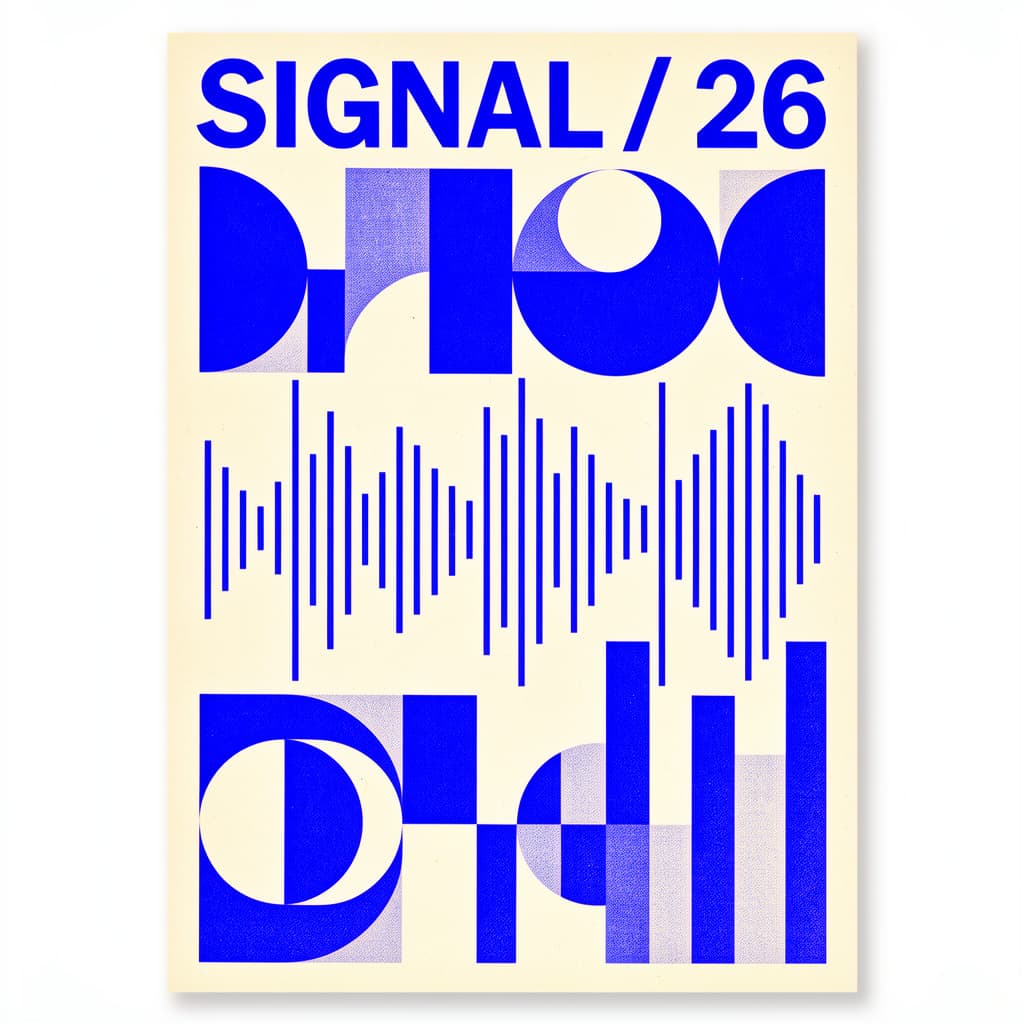
Both examples were generated through the exact WaveSpeed model used by the tool above and are served from this site.
Text to Image
A type-led poster that follows the requested headline, palette, grid, and soundwave motif.
Prompt
Swiss modernist music festival poster, bold readable headline "SIGNAL / 26", cobalt blue and warm cream palette, geometric soundwave forms, precise editorial grid, screenprint texture, portrait composition
Image Edit
The layout and headline stay consistent while the palette and waveform treatment change.
Prompt
Preserve the poster grid and the exact readable headline "SIGNAL / 26"; change the palette to deep burgundy and pale pink, and make the soundwave forms more energetic
01
Direct layout and typography
Describe headline placement, hierarchy, grid, palette, and graphic forms in one prompt.
02
Iterate a visual system
Use Image Edit to preserve the layout while changing color, energy, or supporting forms.
03
Control the creative brief
A useful option when composition and art direction matter as much as surface realism.
How it works
Create with FLUX.2 Flex in three steps
1
Define the visual system
Name the format, headline, grid, palette, and graphic language in your prompt.
2
Generate or preserve a layout
Create from text, or upload an existing design and state exactly which elements must remain fixed.
3
Compare quality levels
Use higher quality when typography edges and dense compositional detail need more pixels.
FLUX.2 Flex is suited to posters, editorial graphics, typography, controlled layouts, and detailed art direction.
Yes. Image Edit can preserve an existing grid and headline while changing color, graphic forms, or visual energy.
Both Text to Image and Image Edit cost 3 credits at Standard, 4 at High, and 5 at Ultra.
No image model guarantees perfect lettering. Short exact phrases, quoted text, and clear layout instructions generally produce better results.
Yes. Flex is the FLUX.2 model most capable of rendering readable headlines, labels, and typography. It is designed for posters, editorial layouts, and compositions where lettering and grid matter as much as the imagery.
FLUX.2 Flex is purpose-built for posters, typography, and art-directed compositions. Unlike photorealism-focused models, Flex follows layout, palette, headline, and grid instructions, making it ideal for Swiss-style and editorial poster work.
Use FLUX.2 Flex, write your exact headline in quotes inside the prompt (for example "SIGNAL / 26"), describe the palette and grid, and keep the text short. Short headlines render far more reliably than long paragraphs.
Yes. Upload your poster as a reference in Image Edit mode, state which elements (headline, grid, layout) must stay fixed, and describe what should change (palette, graphic energy, supporting forms). Flex preserves the structure while updating the visual treatment.
Create your next image with FLUX.2 Flex
Start from a prompt or upload references, choose the output quality, and generate directly on this page.