Generate and edit images with FLUX.2 Dev, the open-weights mid-tier FLUX model. Balanced quality, prompt adherence, and credit cost for studio-grade visuals and fast iteration.
0/2000
Preview
Result will appear here
Open-weights FLUX image generation
Why create with FLUX.2 Dev?
FLUX.2 Dev is the open-weights mid-tier of the FLUX.2 family. It sits between Klein and Pro, delivering studio-grade visuals, enhanced realism, and crisper text rendering without the premium credit cost of Max. Use it for production-adjacent drafts, fine-tuned workflows, and reference-based edits where predictability matters.
Text to ImageImage Edit · up to 3 references
Studio-grade drafts
Open-weights fine-tuning
Reference-based edits
Standard
Up to 1024px on the longest edge
Text 2 credits · Edit 2 credits
High
Up to 1280px on the longest edge
Text 3 credits · Edit 3 credits
Ultra
Up to 1536px on the longest edge
Text 4 credits · Edit 4 credits
Real model outputs
See FLUX.2 Dev generate and edit
Both examples were generated through the exact WaveSpeed model used by the tool above and are served from this site.
Text to Image
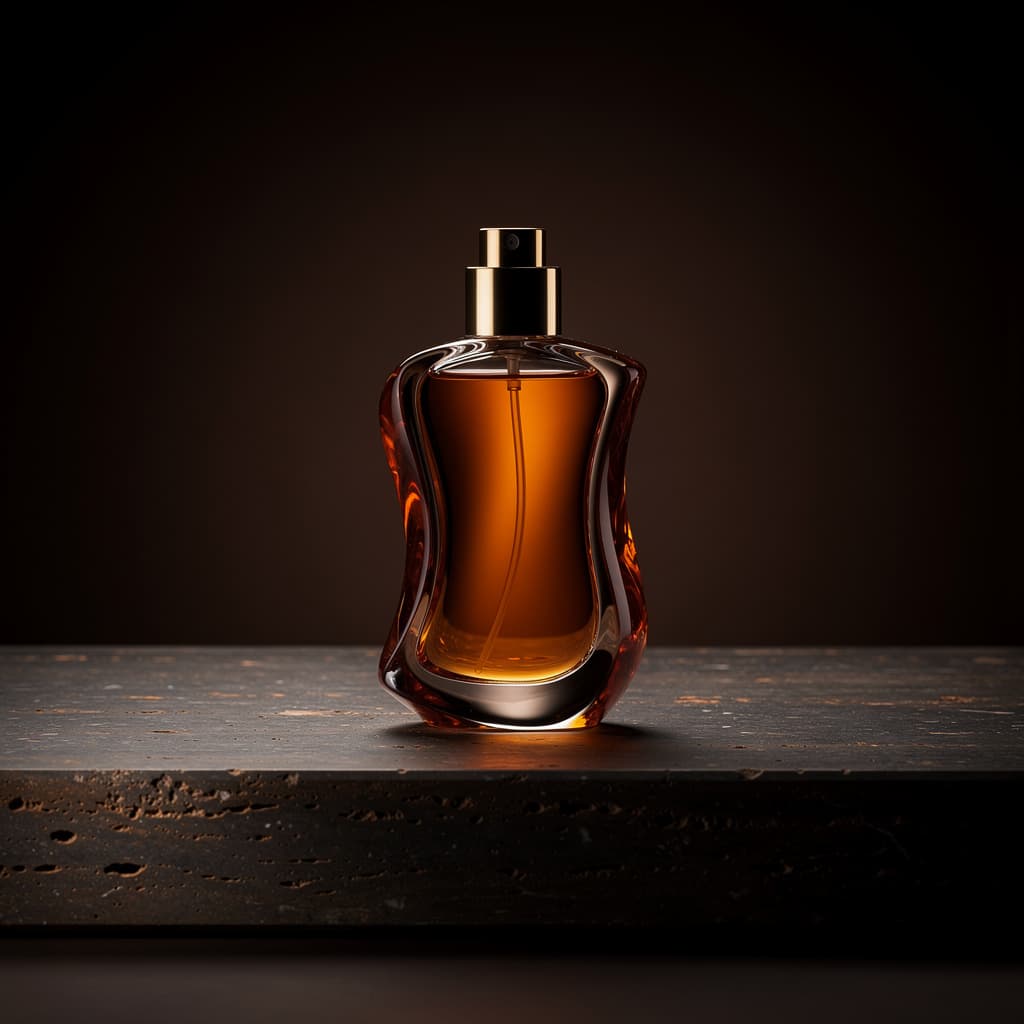
A studio-grade product visual generated with FLUX.2 Dev showing controlled reflections and dark commercial lighting.
Prompt
Premium studio product photograph of a sculptural amber perfume bottle on dark travertine, controlled rim lighting, realistic glass refraction, restrained luxury campaign styling, crisp commercial detail
Image Edit
The Dev edit preserves the product while swapping the entire campaign environment in one pass.
Prompt
Keep the perfume bottle unchanged and replace the dark studio with a warm ivory stone set, soft morning sunlight, and delicate botanical shadows; premium commercial photography
01
Balanced quality and credit cost
Step above Klein and Turbo in fidelity without jumping straight to Pro-tier pricing for everyday production work.
02
Edit with up to three references
Use Image Edit to preserve a subject while changing lighting, palette, background, or art direction.
03
A practical fine-tuning base
FLUX.2 Dev is an open-weights model, which makes it a popular starting point for custom LoRA, brand-style, and domain-specific fine-tuning.
How it works
Create with FLUX.2 Dev in three steps
1
Pick the mode
Start with Text to Image for a new asset, or switch to Image Edit and upload up to three references to transform an existing visual.
2
Describe materials, lighting, and framing
Dev rewards specific prompts — name the lens, surface, light direction, and what must stay consistent during an edit.
3
Choose quality and iterate
Use Standard for drafts and High or Ultra for production-adjacent candidates that need more pixels.
FLUX.2 Dev is best for studio-grade drafts, reference-based edits, and any workflow that benefits from an open-weights mid-tier model with balanced quality and credit cost.
Yes. Dev supports both Text to Image and Image Edit, and the Image Edit workflow accepts up to three reference images.
Standard costs 2 credits, High costs 3 credits, and Ultra costs 4 credits for both Text to Image and Image Edit.
Standard supports up to 1024px, High up to 1280px, and Ultra up to 1536px on the longest edge, matching the rest of the FLUX.2 lineup.
FLUX.2 Dev is built on Black Forest Labs open-weights FLUX.2 [dev] model. The open-weights release makes it a popular base for community fine-tuning, custom LoRA training, and brand-specific adaptations.
Yes. Because FLUX.2 Dev is distributed as open weights, developers can fine-tune it with custom datasets, train LoRA adapters, or adapt it to specific visual styles. This hosted generator uses the official Dev weights with no extra setup on your end.
Pick Dev for everyday studio-grade generation and reference-based edits at a mid-tier credit cost. Pick Pro when you need the highest level of polish for client-facing campaign work, product photography, and commercial deliverables.
Choose Dev when you want noticeably higher fidelity, better text rendering, and stronger prompt adherence than Klein. Choose Klein when speed and the lowest credit cost matter more than maximum quality.
Create your next image with FLUX.2 Dev
Start from a prompt or upload references, choose the output quality, and generate directly on this page.